For the Xebex Smart Console 2.0
Xebex called it smart.
XEsync makes it useful.
Live metrics while you row. Saved sessions when you stop.
A history of the effort you put in.


Free · Android · Built by a rower · iPhone?
Check your setup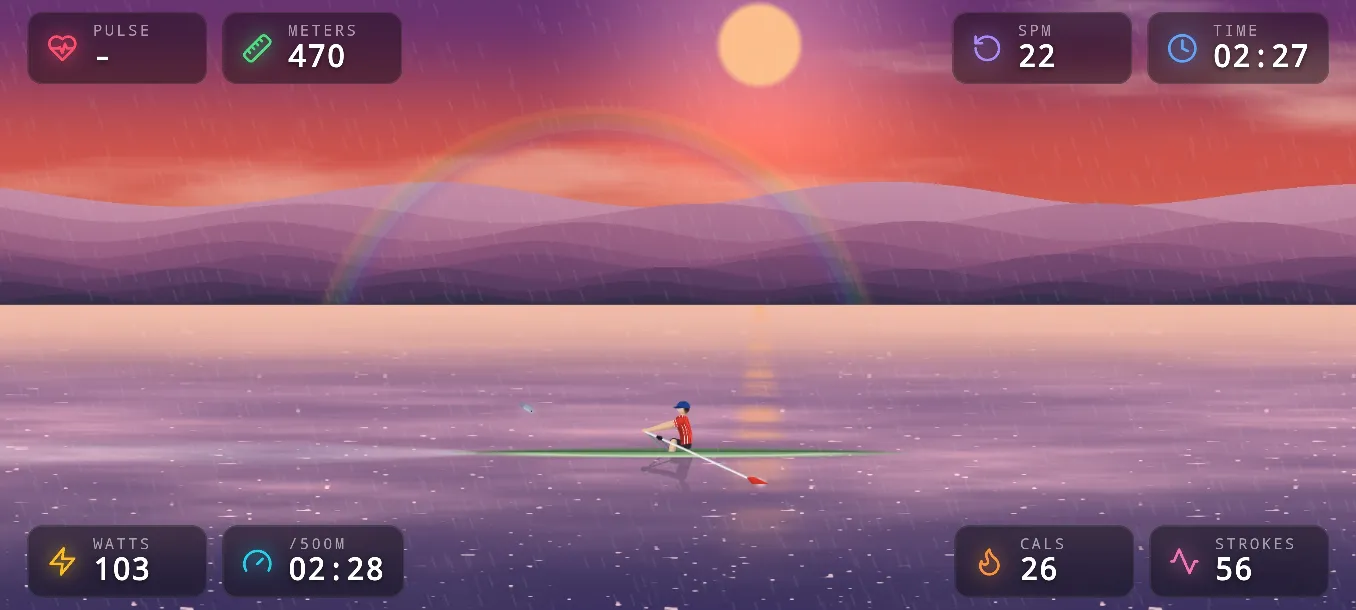
01 During your workout
See your effort live.
Follow your pace, power, stroke rate and distance on your phone. Heart rate appears when it is supplied by the console.
Give every stroke a scene.
Your pace and stroke rate drive a rower on the water. A moving view of the work you are doing.
Keep the session.
XEsync saves your workout when it ends. Offline sessions stay on your device until they can sync.
02 After your workout
Finish rowing.
Keep the progress.
Revisit your sessions, see your weekly and monthly totals, and look beyond the final number. Open a workout to see how your pace and power changed along the way.


Review your history in the app or sign in on the web. You can also download your account data from the web interface.
03 Check your setup
Your rower.
Your Android phone.
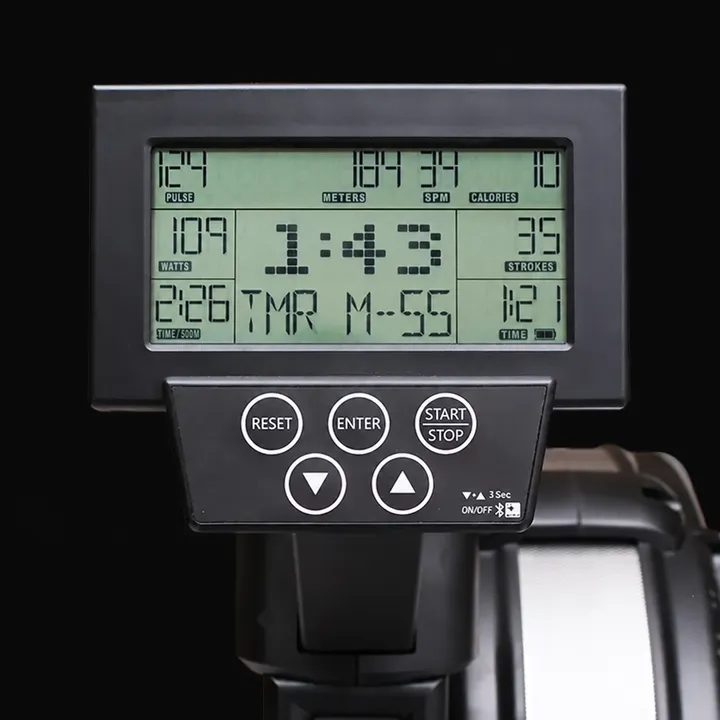
XEsync is built for Xebex Air rowers with the Smart Console 2.0 and its Bluetooth rowing data connection.
Have a different console? Compatibility with other Xebex consoles and rowing machines is not confirmed.
Ask about your setup04 Get rowing
Install XEsync.
Get the free Android app from Google Play.
Set up your account.
Create an account, confirm your email and sign in to keep your workout history.
Connect and row.
Turn on your console and Bluetooth, allow the app’s Bluetooth permissions and scan for your rower.
05 Built by a rower
I wanted more from my console.
So I built it.
XEsync is an independent project. I put my own time and money into making my Xebex more useful, and I’m sharing the app for free with other rowers.
Curious about the Bluetooth connection, the animated water or how your sessions get saved? Explore the engineering
06 Frequently asked
Which Xebex rowers and consoles does XEsync support?
XEsync is built for Xebex Air rowers with the Smart Console 2.0 and its Bluetooth rowing data connection. Compatibility with other Xebex consoles or rowing machines is not confirmed.
Is the Smart Console 2.0 required?
Yes. XEsync connects over Bluetooth to the data the Smart Console 2.0 exposes. Other console versions have not been tested.
Which Android versions does XEsync support?
XEsync supports Android 6.0 (Marshmallow) and later.
Why does XEsync need Bluetooth permissions?
XEsync uses Bluetooth to scan for and connect to your Xebex console's Smart Console 2.0, and to receive live rowing data — pace, power, stroke rate and distance — while you row.
Does XEsync show my heart rate?
Heart rate appears automatically when your Xebex console broadcasts it over Bluetooth, alongside pace, power, stroke rate and distance. Not every setup provides heart rate, so this depends on your console and any connected strap.
Does XEsync work offline?
Yes. If you're offline when a workout ends, XEsync saves it locally on your device and syncs it to your account automatically the next time you're online and signed in.
What happens to a session if my connection drops mid-workout?
The session keeps recording locally. When it ends, XEsync saves it to your device and syncs it to your account as soon as a connection is available.
Where is my workout data stored, and is it shared?
Synced workouts are stored on servers operated by Fournier Digital Services and are used only to show your own history. We do not sell, trade or share your personal data with third parties. See the Privacy Policy for details.
Can I delete a workout or my account?
Yes. Individual workouts can be deleted at any time from your session history in the app, and deletion is immediate and permanent. You can also delete your entire account from the account settings screen; your data is fully removed from our servers within 30 days.
Is an account required?
You'll want one to keep and review your workout history across sessions and on the web. Creating an account is free and only needs an email address.
Is there an iPhone version?
Not currently. XEsync is Android only today. It's MIT licensed, and porting it to iOS is an open invitation for anyone interested.
How can I report a compatibility or connection problem?
Email [email protected] with your console model and what you're seeing, and we'll help you work through it.
Make your next session count.
Your Smart Console 2.0 has the data. Put it to use.
Get XEsync free for Android